


Comparing with BlazeDVD 6 Free version, BlazeDVD 6 Pro offers more useful functions. Follow steps below to upgrade to BLazeDVD 6 Pro:
Step 1
Go to www.blazevideo.com/dvd-player/ to click "Buy Now" to purchase a serial number for BlazeDVD Pro.
Step 2
Go to http://www.blazevideo.com/download.php?product=BlazeDVD to download BlazeDVD Pro and install it.
Step 3
After launching BlazeDVD Pro, right click the main scree, select "Purchase&Register". Below box will pop up:
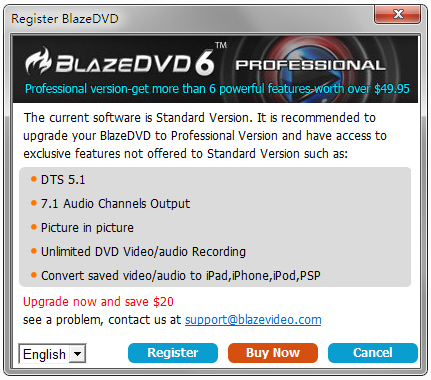
Step 4
Click "Register" button  , below box will pop up:
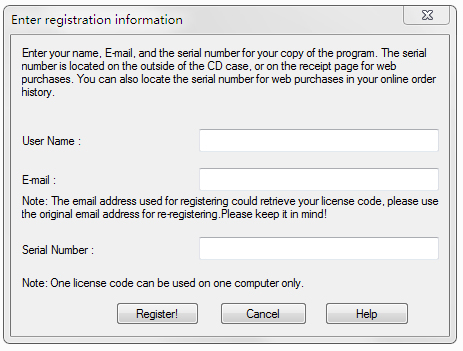
Here please copy and paste the seiral number (license code) you purchased and key in your email address you used to fulfill the Purchase Forum.
Step 5
Click "Register", below box will pop up:
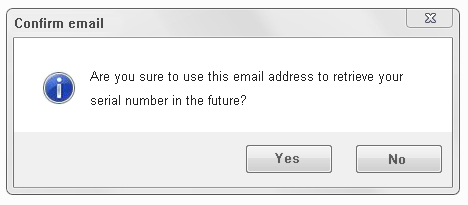
After checking the email address you use, click "Yes" to finish the registration.
Step 6
After enter the registration info correctly, below box will pop up to show you have registered successfully:
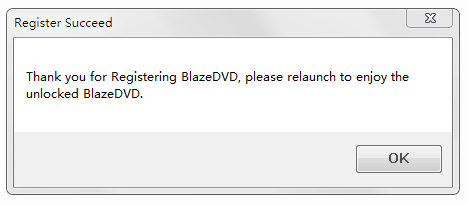
You will see the main screen of BlazeDVD 6 Pro at the same time:
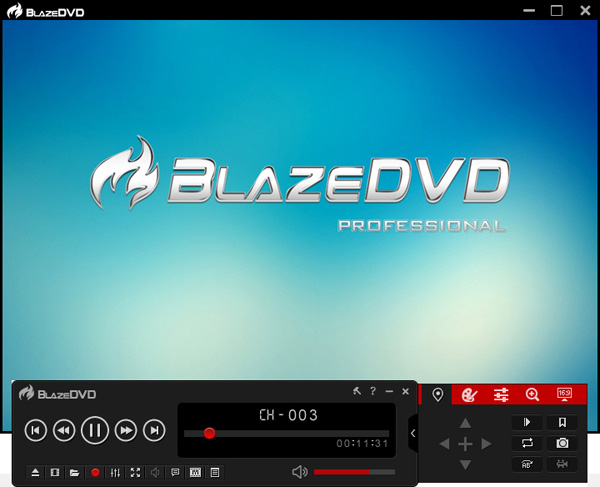
Now welcome to enjoy BlazeDVD 6 Pro freely!
 Products
- TV Recorder/Player
- BlazeVideo HDTV Player
- BlazeVideo TV Recorder
- DVD Ripper/Copy/Player
- BlazeDVD
- DVD Ripper
- DVD Copy
- Music DVD Creator
- Video/Photo Editing Software
- Video Editor
- Video Magic
- VideoFlick
- BlazePhoto
- iPhone/iPod/iPad Tools
- BlazeVideo iPhone Flick
- BlazeVideo iPod Flick
- BlazeVideo iPad Flick
- iPad Video Converter
- iPhone Video Converter
- iPod Video Converter
- DVD to iPad Converter
- DVD to iPhone Converter
- DVD to iPod Converter
- 3GP/PSP/BlackBerry Tools
- 3GP Video Converter
- PSP Video Converter
- BlackBerry Video Converter
- DVD to 3GP Converter
- DVD to PSP Converter
- DVD to BlackBerry Converter
- 3GP Converter Suite
- PSP Converter Suite
- BlackBerry Converter Suite
- Mac Software
- BlazeVideo DVD Ripper Mac
- Video Converter Mac
 Like us on Facebook
 Follow us on Twitter
 Follow us on Google+
 Follow us on Pinterest
 Follow us on YouTube